
Extensibility Margin Gallery feed (extension)

Shows relevant information about the current file and language to extensibility authors
▼ Download- Author
- Mads Kristensen
- Version
- 2.0.9
- Updated
- 7 minutes ago
- Supports
- VS 2022 VS 2026 VS 2022 (ARM64) VS 2026 (ARM64)
Extensibility Margin


A focused utility for Visual Studio extension authors.
Extensibility Margin adds live diagnostics to the editor status row so you can inspect editor state at the caret without writing temporary debug UI.
Download this extension from the Marketplace or get the CI build.
The margin sits immediately to the left of Visual Studio's built-in line/column information in the editor status row and is designed for people building editor features.
Why extension authors use it
- Validate
ITextBuffercontent types in real time - Inspect classification names and inheritance while testing classifiers
- Inspect text view roles when troubleshooting MEF provider activation
If you work with MEF editor components, taggers, classifiers, or command handlers, this gives immediate feedback directly in the editor.
Toggle on/off
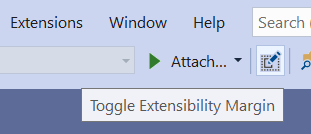
Toggle the margin visibility on/off from a new button on the Standard toolbar.
Editor status margin
Shows content type, classification, and text view roles alongside Visual Studio's built-in editor information. Encoding and selection information are provided by Visual Studio itself.
Content type
Shows the content type of the ITextBuffer at the caret position. The hover tooltip shows the name of the base content type.
Useful when troubleshooting content type mismatches in providers and listeners.
Classification
Displays the name of the classification at the caret position in the document. The hover tooltip shows the inheritance hierarchy of the EditorFormatDefinition's BaseDefinition attribute.

Roles
Shows a text view role. Hover to see all roles supported by the current view.
Typical workflows
- Move the caret through sample text while validating content type/classification behavior.
- Hover margin items to inspect additional metadata.
- Toggle the margin on/off from the Standard toolbar when not needed.
Installation
Install from the Marketplace or use the latest CI build.
License
Building and debugging
Open ExtensibilityMargin.slnx in Visual Studio 2022 17.14 or newer with the Visual Studio extension development workload and the .NET Framework 4.8 targeting pack installed. The SDK-style VSIX project also requires the .NET 9 SDK or newer.
Select Debug / Any CPU and press F5 or Ctrl+F5 to deploy and launch the extension in the experimental instance. Enable the Standard toolbar to find Toggle Extensibility Margin.
For a release build, run these commands from a Visual Studio Developer PowerShell:
msbuild ExtensibilityMargin.slnx /t:Restore /p:Configuration=Release
msbuild ExtensibilityMargin.slnx /m /p:Configuration=Release /p:DeployExtension=false
The VSIX is written to src\bin\Release\net48\ExtensibilityMargin.vsix. CI builds pull requests and publishes push/manual builds to Open VSIX; Marketplace publishing and GitHub releases require a [release] commit message or a manual run.