CodeNav Gallery feed (extension)

Show the code structure of your current document.
▼ Download- Author
- Samir Boulema
- Version
- 10.14.198
- Updated
- 14 days ago
- Tags
- code, structure, navigation, map, codemap
- Supports
- VS 2022 VS 2026 VS 2022 (ARM64) VS 2026 (ARM64)
Validation
- The source icon is 90x90px. For best results, use 128x128 pixels or larger. Larger images are supported but are never displayed above 128x128 pixels.

CodeNav
Visual Studio extension to show the code structure of your current document

✨ Features
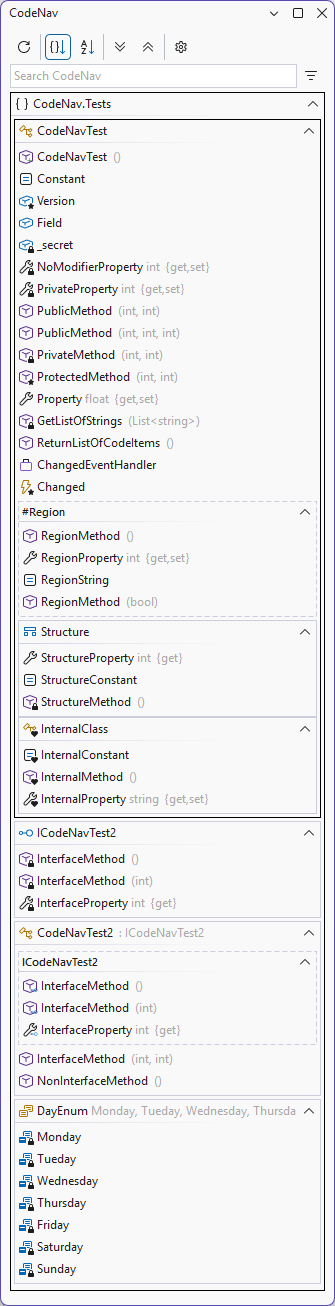
- Quickly see all the important methods and properties in your document
- Never get lost during a refactoring of a super long document
- Clicking on an item in the list will take you to that location in the document
- Double-clicking on an item in the list will move the caret to that location in the document
- Show/Dock as a separate tool window.
- Cursor position will be reflected by highlighting the current method in the list
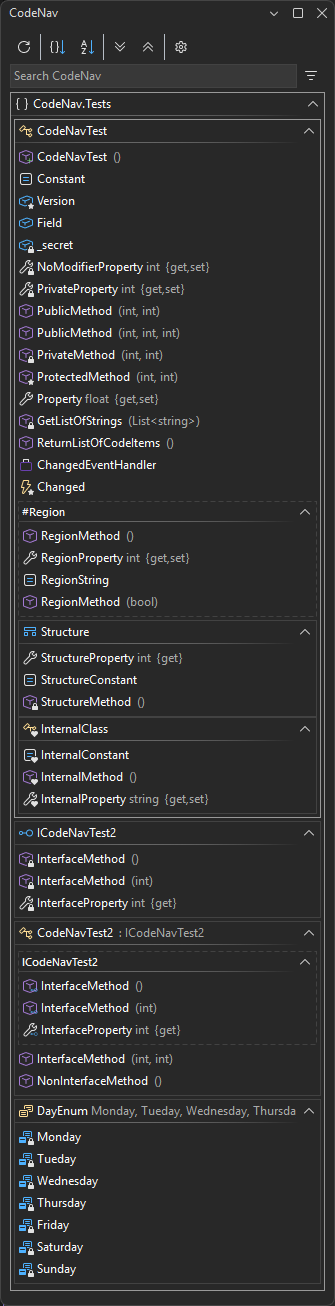
- Light/Dark theme support
- Collapse/Expand all ranges
- History/edit indicators
- Sort by file order or by name
- Regions
- Filter/search items by name
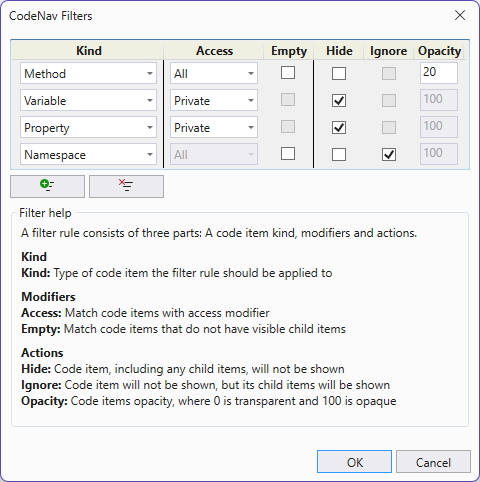
- Hide, ignore or change opacity of items based on item kind (method, property), access (public, private), empty state
- Customizable fonts
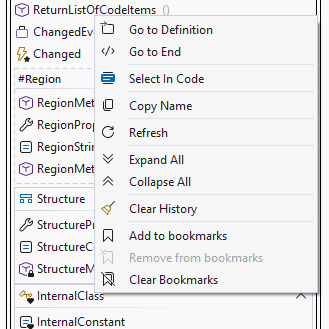
- Bookmarks
- Synced collapsing/expanding outline regions
- Option to hide the tool window for unsupported files and files without code items
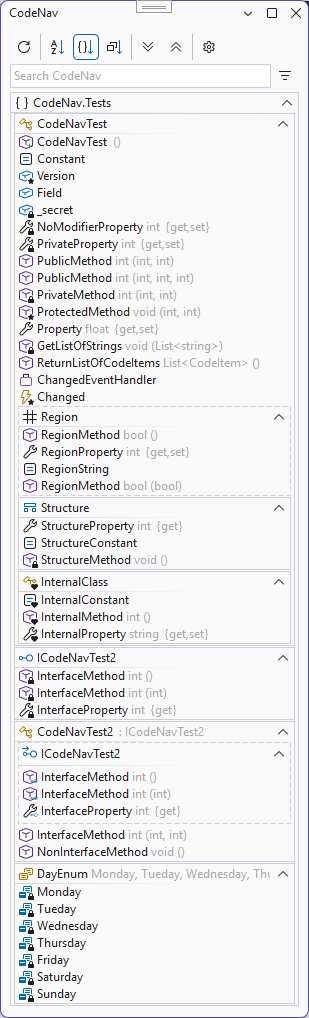
- Compact mode with less spacing optimizing screen real estate
- Pin a document to keep the CodeNav window open for that document even when switching to other documents
- Open a second CodeNav window, to navigate multiple documents
💻 Supported Visual Studio versions
- Visual Studio 2022 (Untested)
- Visual Studio 2026
🔤 Language support
- C#
- Visual Basic (enable it in the CodeNav settings)
- TypeScript (enable it in the CodeNav settings)
⬇️ Installing
🤲 Usage
The CodeNav tool window can be opened via the entries in the Extensions menu.
🖼️ Screenshots
Filter window
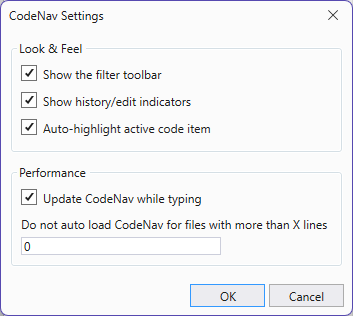
Options window
Bookmarks
Compact mode
📄 Documentation
Looking for more info? Read the full Documentation with links, guides, troubleshooting, and tips.