
Rainbow Braces Gallery feed (extension)

Colorizes matching brace pairs to make it easy to identify them and their scope. Works for curly brackets, parentheses, and square brackets.
▼ Download- Author
- Mads Kristensen
- Version
- 1.0.178
- Updated
- 3 months ago
- Tags
- braces, color
- Supports
- VS 2022 VS 2026 VS 2022 (ARM64) VS 2026 (ARM64)
Rainbow Braces for Visual Studio

Download this extension from the Visual Studio Marketplace or get the CI build.
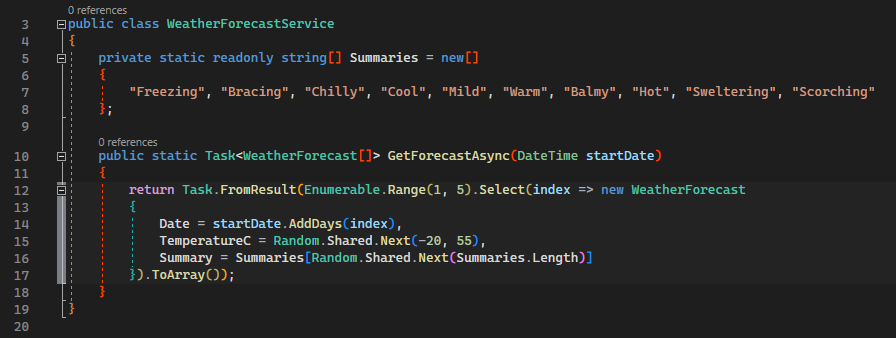
Colorizes matching brace pairs to make it easy to identify them and their scope. Works for curly brackets, parentheses, square brackets and angle brackets. Inspired by the Bracket pair colorization feature request for Visual Studio (please go vote for it).
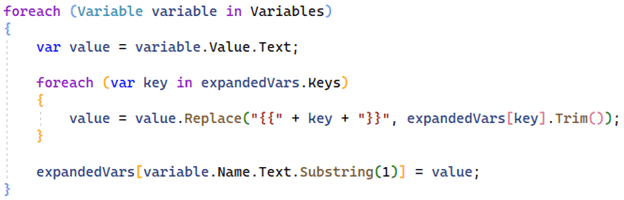
Both light and dark themes are supported.

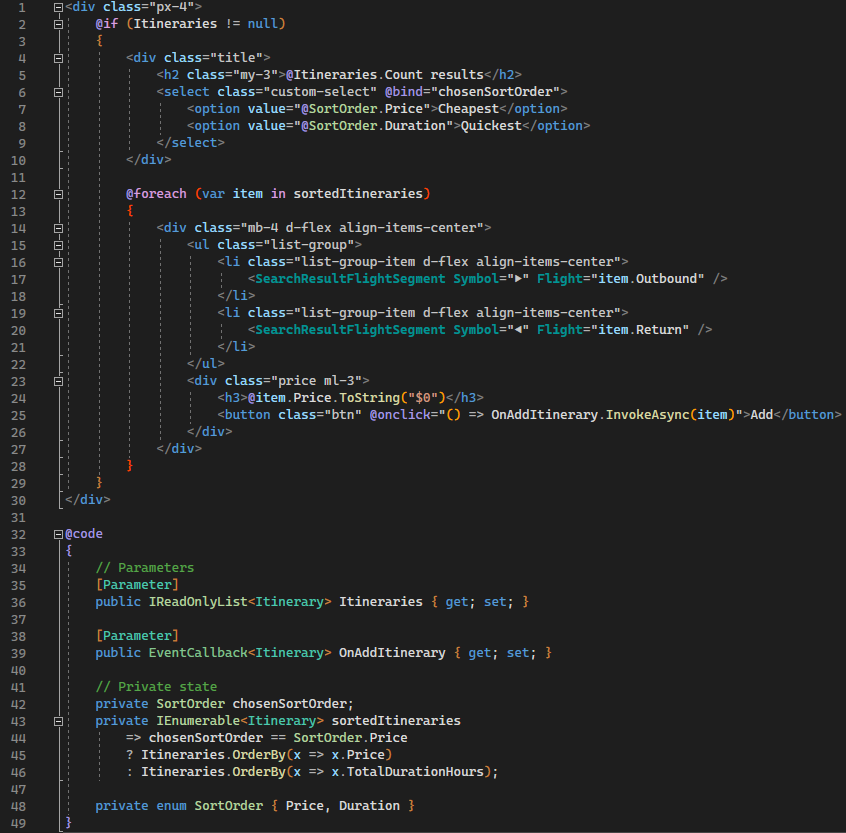
Razor templates (.razor) are now supported.
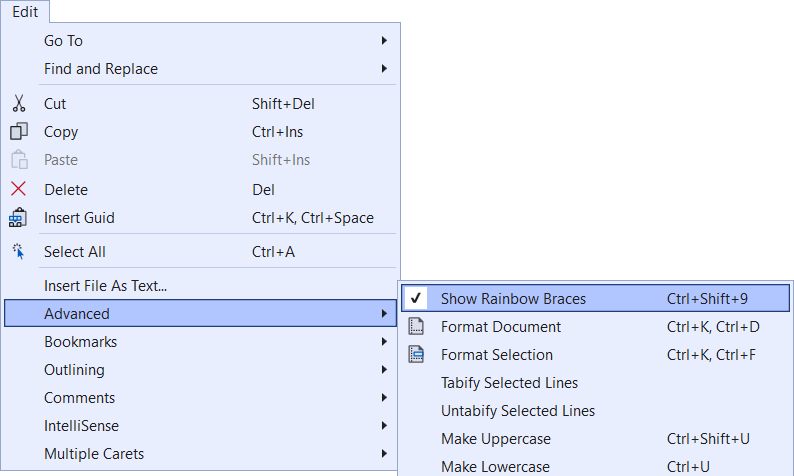
To toggle the brace colorization on and off, a menu item is available under the Edit -> Advanced menu or using the shortcut Ctrl+Shift+9.
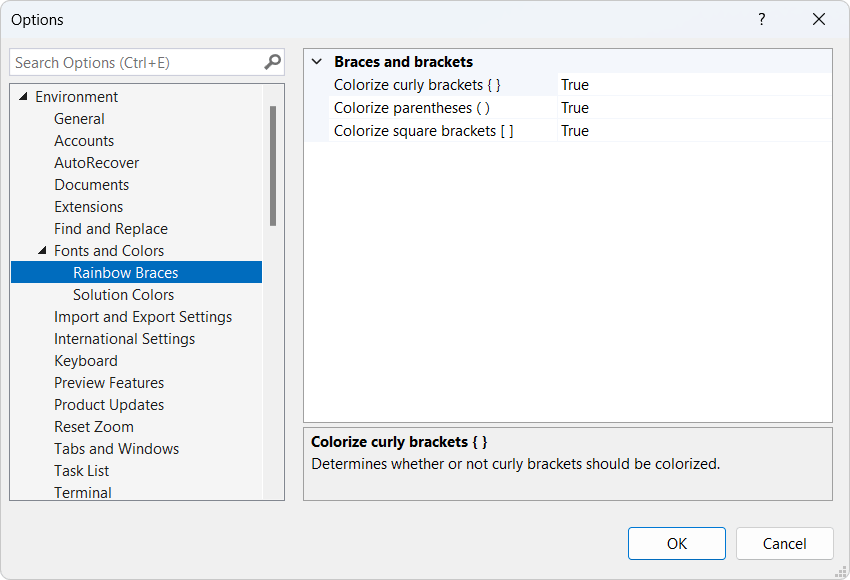
You can customize the colors from the Tools -> Options dialog.
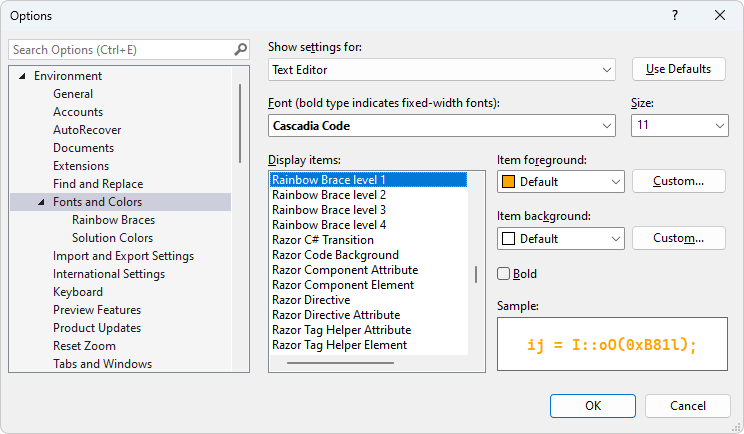
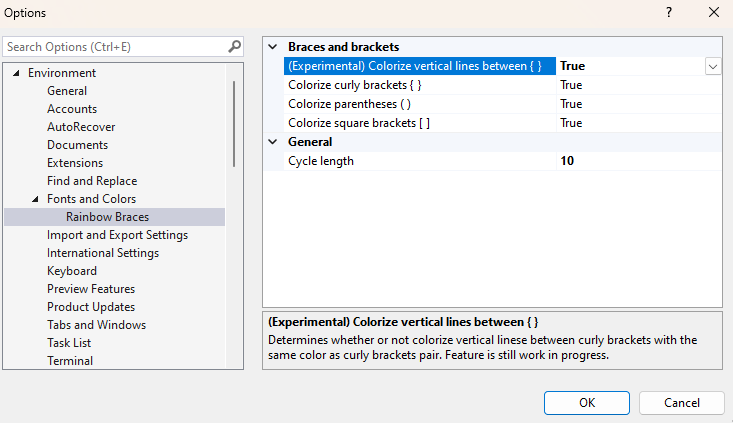
There are also a few other specific options available under the Fonts and Colors tree node.
Colorize vertical lines
For more advanced features, I recommend the free Viasfora extension by Tomas Restrepo.
Troubleshooting
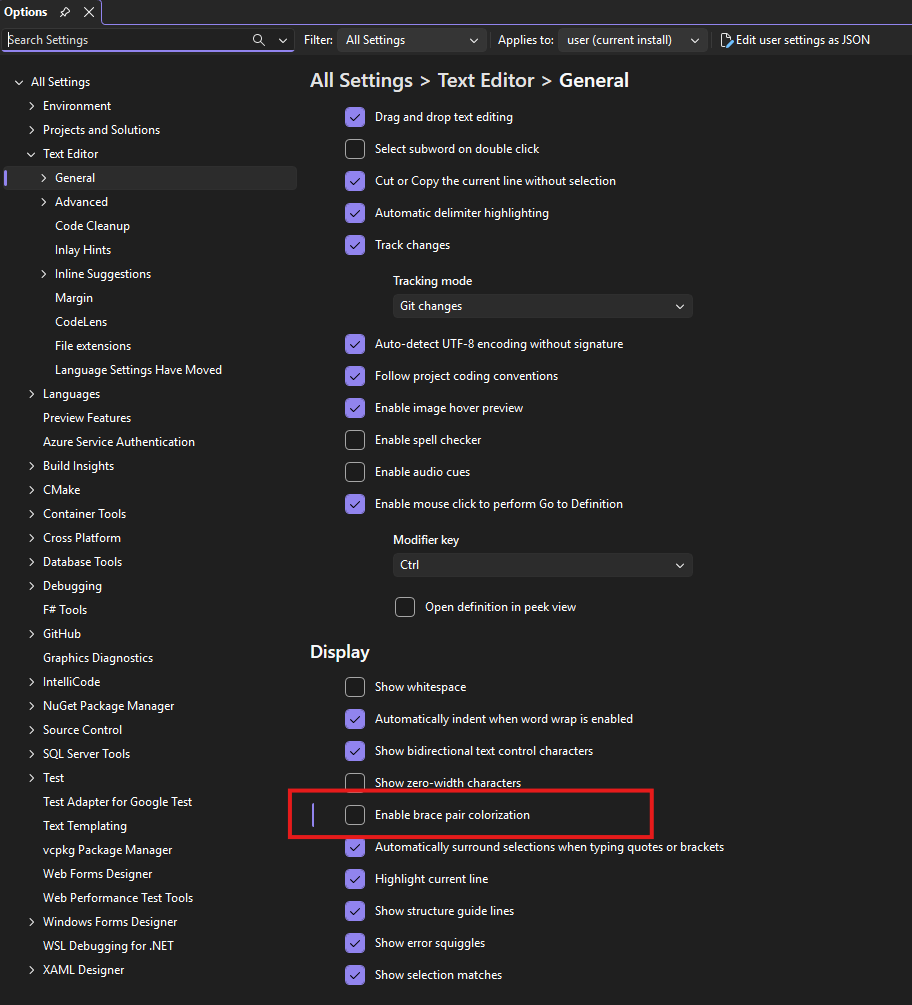
If you have the built-in Brace Pair Colorization feature enabled, you will need to disable it and restart Visual Studio for this Extension to take effect.
To disable the feature, access the Tools -> Options dialog and uncheck the box 'Enable brace pair colorization' under the All Settings -> Text Editor -> General section.
How can I help?
If you enjoy using the extension, please give it a ★★★★★ rating on the Visual Studio Marketplace.
Should you encounter bugs or if you have feature requests, head on over to the GitHub repo to open an issue if one doesn't already exist.
Pull requests are also very welcome, since I can't always get around to fixing all bugs myself. This is a personal passion project, so my time is limited.
Another way to help out is to sponsor me on GitHub.